Phone system features
Everything below is part of VoiceSaver® Cloud PBX. Plans start as low as $9.99 a month.
How VoiceSaver fits together
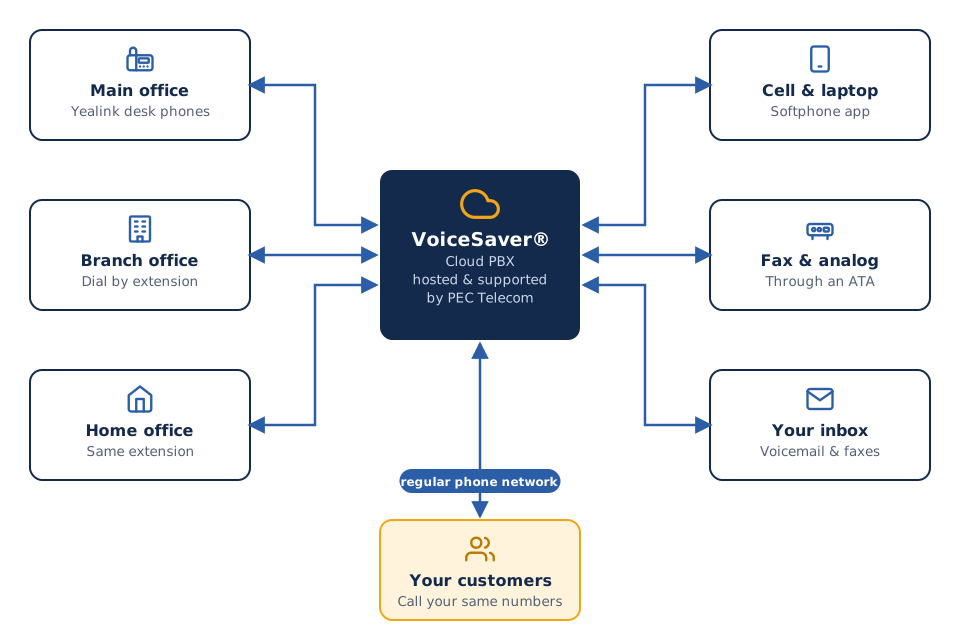
One cloud system connects every phone, app, and fax machine you use.
Every feature, included
Auto attendant
Greet callers with a professional menu. Route them to departments, share hours and directions, and take payments by phone without tying up staff.
Hunt groups
Ring one phone, several, or all at once. Choose ring-all, round-robin, or least-recent so callers reach a live person fast.
Call transfer
Blind, announced, or warm transfers to any extension, mobile, or outside number, or straight to voicemail.
Call forwarding
Forward calls to a mobile, home office, or any device by time of day, caller ID, or your own rules.
Simultaneous ring
Ring your desk phone, mobile, and home office at once. Whoever answers first gets the call.
Call screening
Hear who is calling and which number they dialed before you pick up.
Voicemail to email
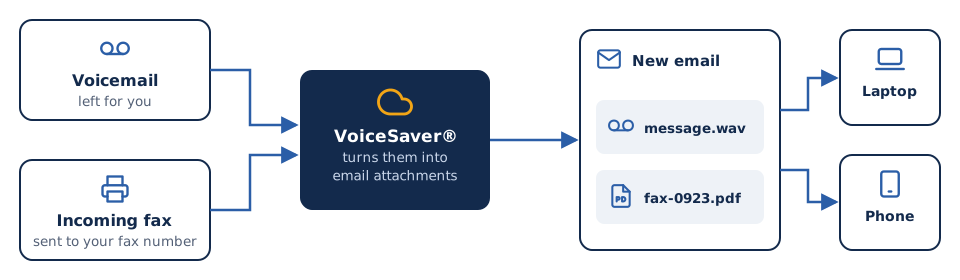
Voicemails arrive as audio attachments, with optional speech-to-text transcription in 7 languages.
Fax to email
Incoming faxes arrive as PDF attachments you can open on any phone, tablet, or computer.
Fax sending
Send faxes to banks, medical offices, and government agencies without a fax machine.
Business texting
Send and receive text messages from your business number.
Toll-free and local numbers
Free 800 numbers, local numbers, and international numbers in one system.
Free number porting
We move your existing local, toll-free, or international numbers from your current carrier at no charge.
Call waiting
Get alerted to a second call and switch between conversations with one tap.
International calling
Call anywhere at competitive rates, with built-in fraud controls to protect your account.
911 emergency support
Each number is registered to a service address so emergency services know where to go.
Call recording
Record calls for training and records, where your business needs it.
Answer every call like a larger company
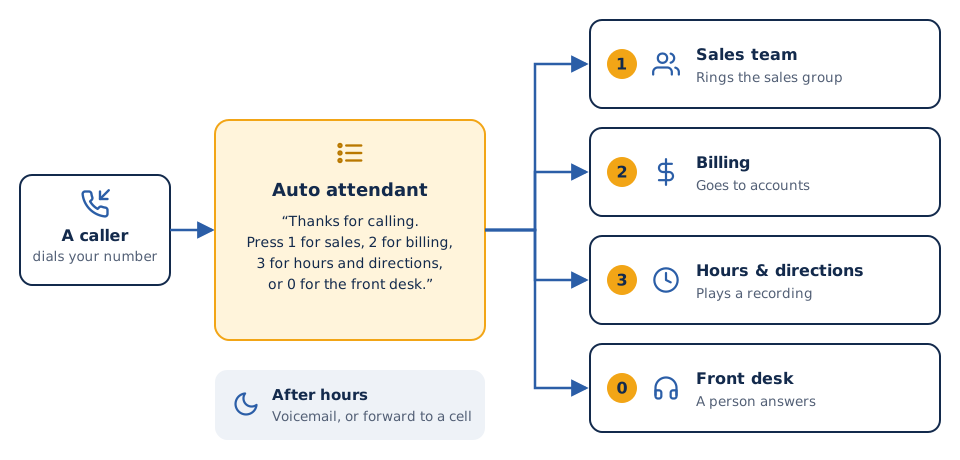
An auto attendant greets callers, offers a short menu, and sends each call to the right person or recording. You choose the greeting, the options, and what happens after hours.
Menus can be as simple as "press 1 for sales" or include hours, directions, and payment by phone.
Choose how calls ring
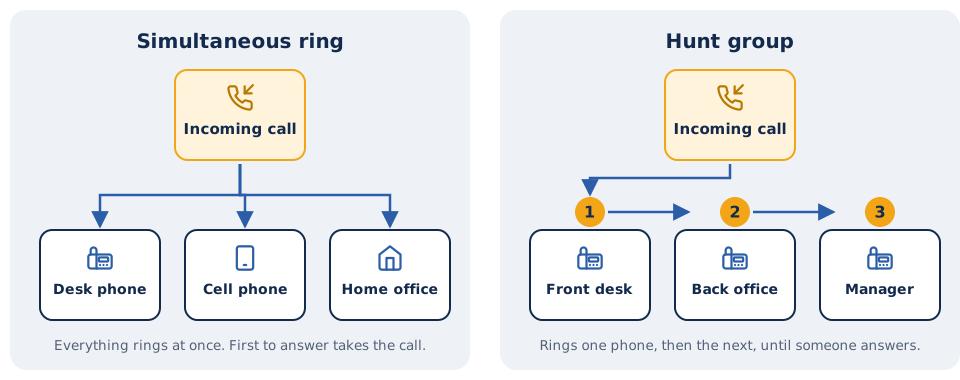
Ring everyone at once so calls are answered fast, or ring phones in order so the right person gets the first chance. Mix both for different numbers or times of day.
Voicemail and faxes in your inbox
Voicemails arrive as audio files, with optional transcription in 7 languages. Faxes arrive as PDFs you can open, save, or forward from any device.
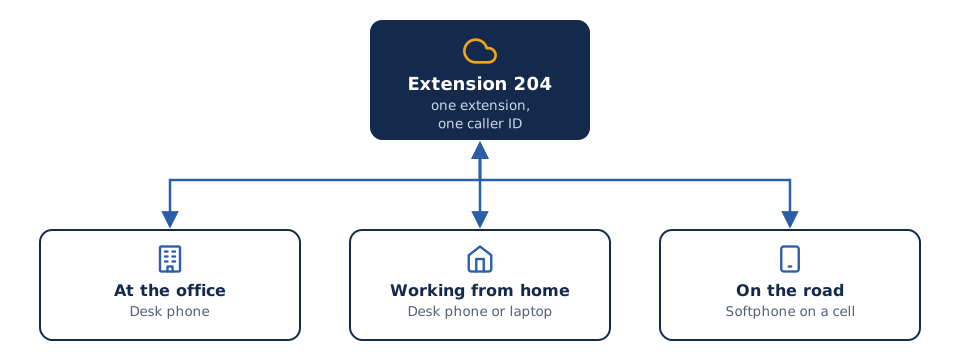
Your office phone, wherever you are
Every employee keeps their extension, caller ID, and full phone system features at home, in a co-working space, or traveling. No VPN and no complicated setup.
The VoiceSaver softphone turns an iPhone, Android phone, Windows PC, or Mac into a business phone using your business number.
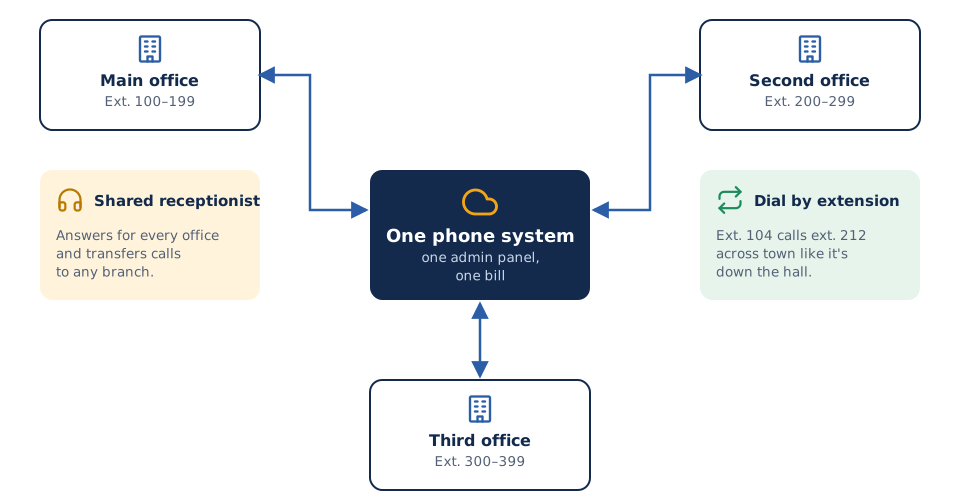
One system for every office
Connect two offices or twenty. Staff call each other by extension, transfer calls between branches, and share a receptionist, all managed from one admin panel.
Works with the phones and platforms you use
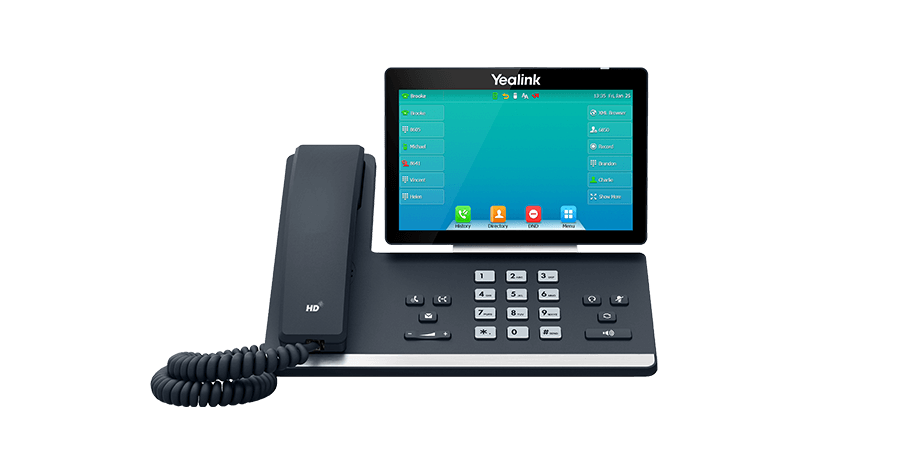
VoiceSaver works with standard SIP desk phones. We recommend and supply Yealink, and also support Grandstream, Cisco, and Snom. PEC Telecom is also a 3CX, Yeastar, and Microsoft partner, so if you'd rather run a 3CX or Yeastar system, or make calls from Microsoft Teams, we can help with that too.
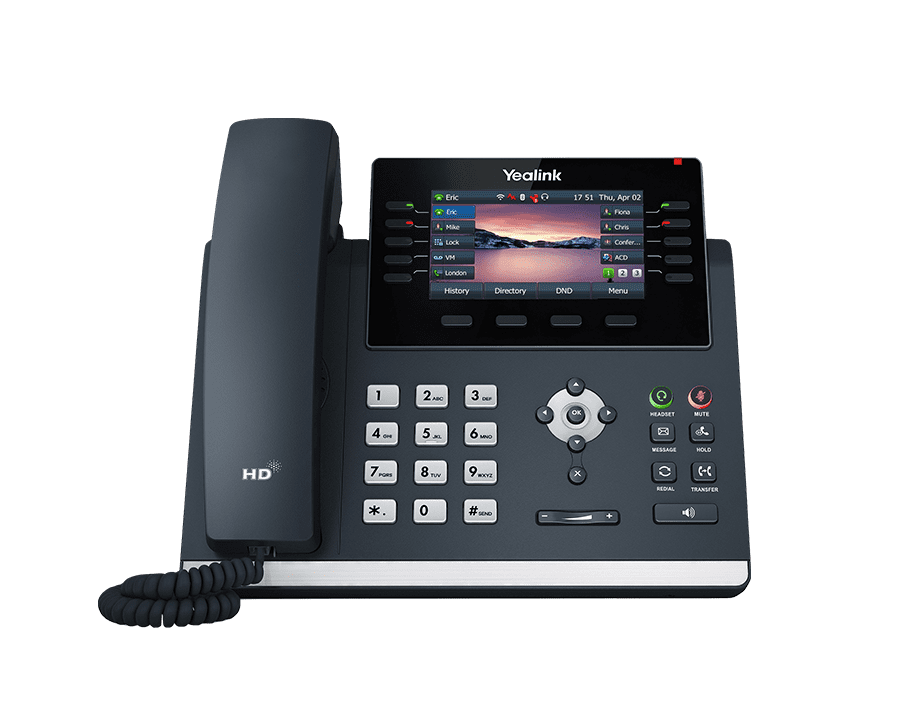
Desk phones
Yealink phones, set up before they arrive
Softphone app
iOS, Android, Windows, and Mac
Analog devices
Fax machines and more, through an ATA




Find out what you could save
Send us a recent phone bill. We'll show you, line by line, what VoiceSaver would cost instead. No obligation.