Frequently asked questions
Straight answers about pricing, switching, phones, analog lines, and support. Don't see your question? Call +1-732-290-1900.
Pricing and billing
How much does a business phone system cost?
VoiceSaver® Cloud PBX starts as low as $9.99 per month. Your exact price depends on how many people need a phone, how many phone numbers you want, and whether you need new desk phones. We send a written quote before you commit to anything. Taxes and regulatory fees may apply.
What is included in the price?
Inbound and outbound calling, fax sending and receiving, text messaging, toll-free 800 numbers, voicemail to email, an auto attendant, 911 support, and free number porting. See the full feature list.
Can you look at my current phone bill?
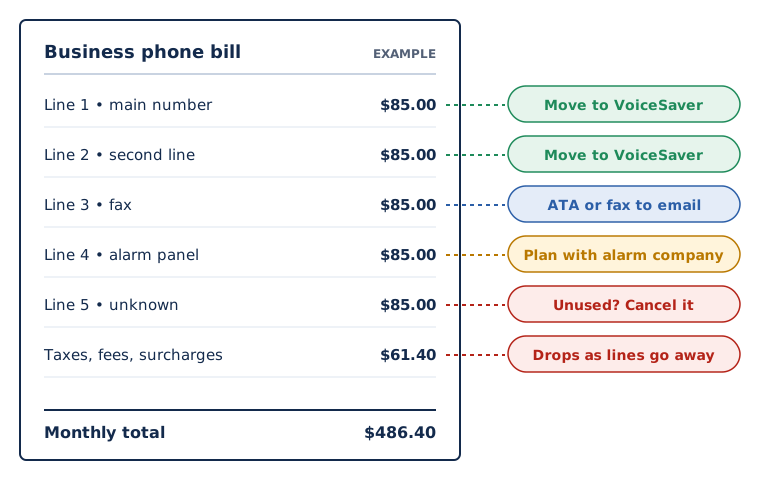
Yes. Our free phone system audit goes through your current bill line by line, flags lines you may not need, and shows what the same setup would cost on VoiceSaver.
Switching and phone numbers
Can I keep my current phone numbers?
Yes. We port local, toll-free, and international numbers from your current carrier at no charge, so customers keep reaching you at the numbers they already know.
How long does switching take?
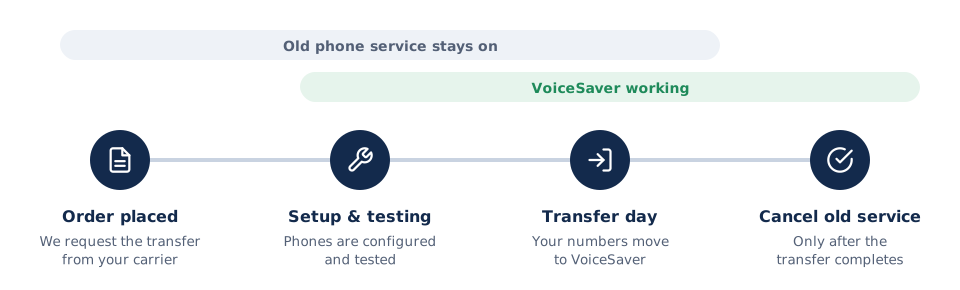
The phone system itself can be set up quickly. Moving your numbers depends on your current carrier and usually takes one to a few weeks. Keep your current service active until the transfer is complete so there is no gap in service; we tell you when it's safe to cancel.
Will it work with my internet connection?
Almost always. Each call uses a small amount of bandwidth, roughly 100 kbps. We'll check your connection during setup and tell you if anything needs to change.
Phones and equipment
Do I need to buy new phones?
Not necessarily. Your team can use the VoiceSaver softphone app on iPhone, Android, Windows, or Mac. VoiceSaver also works with standard SIP desk phones. If you want new phones, we supply Yealink phones that arrive pre-configured.

Which desk phones do you recommend?
PEC Telecom is an authorized Yealink partner and recommends Yealink for most offices. VoiceSaver also supports Grandstream, Cisco, and Snom phones.
Can remote employees use the system?
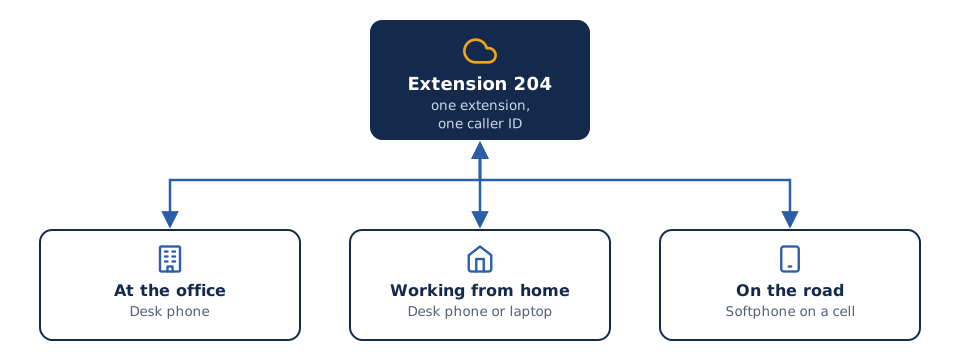
Yes. Anyone with an internet connection keeps their extension, caller ID, and voicemail, from a desk phone at home or the app on their phone or laptop.
Can we make phone calls from Microsoft Teams?
Yes. PEC Telecom is a Microsoft partner, and VoiceSaver services let Microsoft Teams users call regular phone numbers in the U.S. and internationally. Ask us what Teams licensing you'll need.
Analog lines and ATAs
Why are my analog phone lines so expensive?
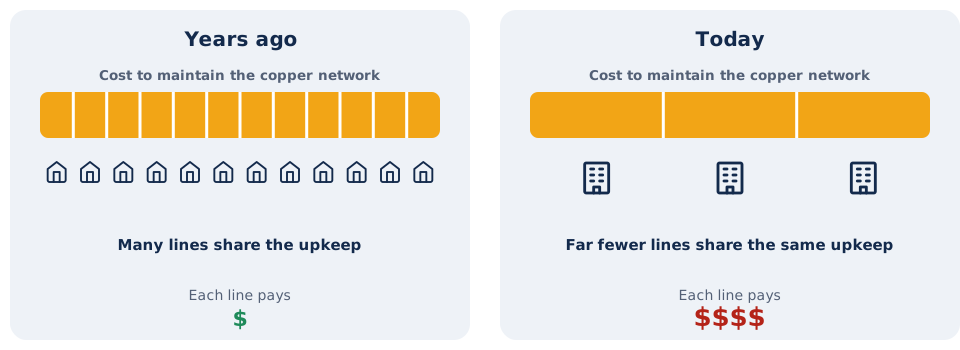
Phone companies are retiring the old copper network. Fewer customers now share its upkeep costs, and many carriers are raising prices on the lines that remain. Read more on our analog lines page.
What is an ATA?
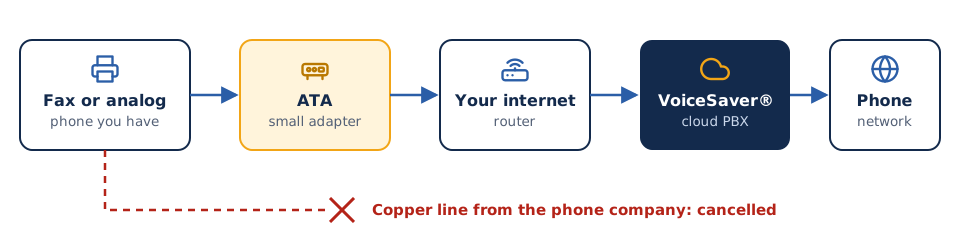
An analog telephone adapter (ATA) is a small box that connects a traditional device, such as a fax machine, cordless phone, or door phone, to the internet so it can run on VoiceSaver instead of a copper line.
Can I keep my fax machine?
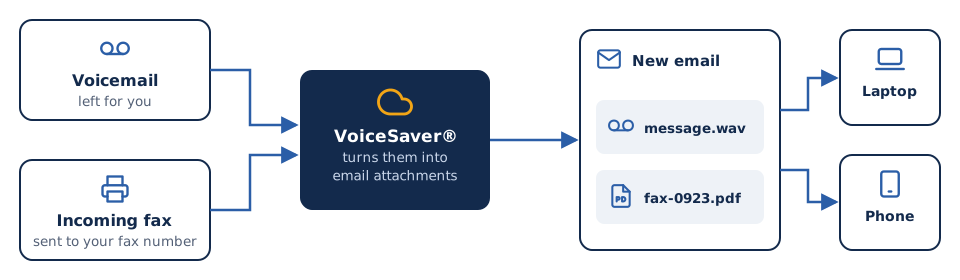
Yes. Connect it to an ATA and keep your fax number. Many offices also switch to fax to email, which delivers incoming faxes as PDFs and needs no fax machine.
What about alarm, elevator, and fire panel lines?
These are life-safety lines and may have code requirements, such as battery backup or a listed communicator. We'll help you plan, but check with your alarm company and local fire official before moving them.
911 and reliability
Does 911 work?
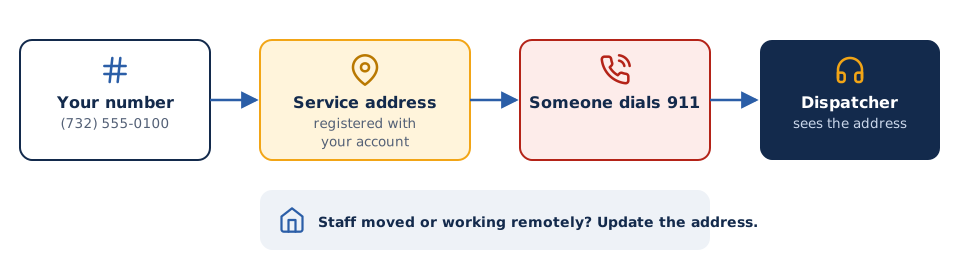
Yes. VoiceSaver supports 911. Each phone number is registered to a service address so emergency services know where you are. If staff move to a new location or work remotely, the address needs to be updated. We'll show you how.
What happens if our internet or power goes out?
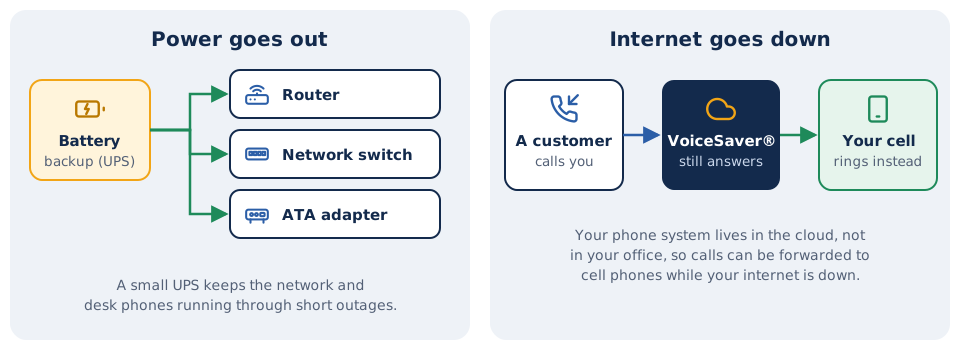
Cloud phones need internet and power. Calls can be forwarded to mobile phones, and the softphone app keeps working on a cell connection. A small battery backup (UPS) on your router and network switch keeps desk phones running through short power outages.
Support
Who provides support?
Our own team in Aberdeen, New Jersey. Call +1-732-290-1900 or email support@voicesaver.com during business hours, with emergency support options for critical issues.

Do you help with setup and training?
Yes. We configure the system, set up your call menus and phones, and walk your team through daily use. Installation and training are included in most deployments.
Who is PEC Telecom?
PEC Telecom is Parwan Electronics Corporation, a New Jersey telecom company founded in 1984. We build and support phone systems, IVR, and voice software, with more than 5,000 deployments in 75+ countries. More about us.
Still have a question?
Call us or send a message. A real person in New Jersey will answer.